
CyberGhost review: users who want automatic Wi-Fi behavior and conventional VPN apps
A candidate for users who want conventional desktop/mobile VPN apps, automatic Wi-Fi behavior and a longer refund period on eligible subscriptions.
Where it makes sense
- Seven simultaneous connections cover your household needs.
- You want to compare automatic Wi-Fi protection and longer-plan refund terms.
Limitations to weigh
- You need more individually connected devices than the account permits.
- You expect Smart DNS to provide the same protection as an encrypted VPN connection.
Evidence and review scope
This assessment uses CyberGhost's feature page, encryption explanation and Smart DNS support article, checked on 5 November 2026. The distinction between a marketed feature and a verified result is deliberate. We did not purchase a plan or run application tests; the recommendation is based on documented compatibility and purchase conditions.
A straightforward household shortlist
CyberGhost is a candidate for someone who wants mainstream VPN applications and automatic connection safeguards without making a custom network setup the main project. Its seven-connection allowance is an immediate practical filter: enough for some households, restrictive for others. Start with that requirement before comparing less relevant extras.
Our assessment uses the provider's feature and support pages. It does not establish real-world speed, whether a particular streaming subscription works or whether an individual app has passed our leak tests. Those questions require testing the actual configuration, and this review should not be read as a substitute for that evidence.
Make automation serve a clear need
CyberGhost documents automatic Wi-Fi protection and a kill switch. These features are useful to consider when a laptop or phone frequently moves to unfamiliar networks. Read how your app enables them and what it does when the VPN is unavailable; a control that surprises you may be switched off precisely when you need it.
We would evaluate the service around ordinary interruptions: waking a laptop, reconnecting after a network drop and starting a call. These are suggested checks, not reported results. A reproducible workflow matters more than a long list of settings that nobody in the household understands.
Protocols are a platform question
The service lists OpenVPN, WireGuard and IKEv2, but its documentation qualifies availability by operating system. If a router, work device or existing setup needs one of these, verify the precise configuration first. A provider-level protocol list is not a compatibility promise for every app.
This also affects how you compare reviews. Results obtained on a different operating system or protocol may not transfer to your setup. Look for the conditions behind any benchmark, including the network and server location, rather than treating one speed figure as a permanent property of the entire service.
Do not confuse Smart DNS with VPN coverage
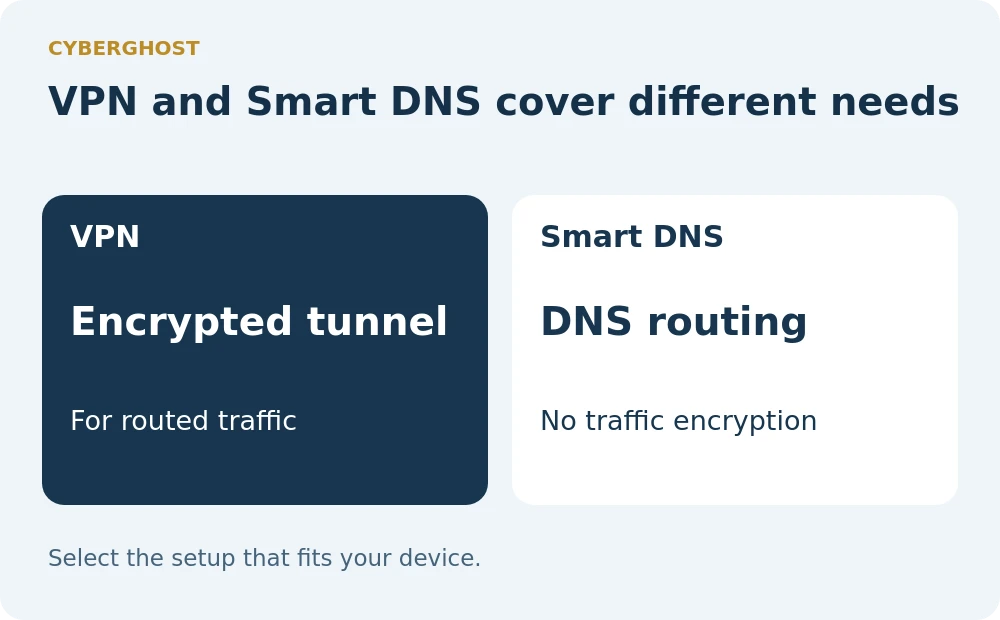
Smart DNS may appear alongside VPN setup options for entertainment devices, but CyberGhost's support documentation distinguishes it from the encrypted tunnel. That distinction should drive the decision. Someone seeking VPN protection should not select a DNS-only setup merely because it is easier to enter on a television.
Before changing a shared device, decide who needs to understand or reverse the configuration. Record the original settings and the provider instructions. A convenient setup should remain understandable after the person who installed it leaves the room, especially when several household members depend on the same connection.
Read the term behind the offer
The refund period is another detail that changes the buying decision. CyberGhost advertises 45 days for longer plans, while its displayed monthly subscription uses a 14-day window. Do not transfer the most generous headline to a different checkout option. Confirm the actual terms and keep the receipt.
Our verdict is to shortlist CyberGhost when its connection allowance and app controls match your needs. Compare the full initial payment, future renewal and cancellation process. We omit changing promotional rates because a low monthly equivalent can hide a much larger up-front commitment, which may be unnecessary while you are still evaluating the service.
Pricing and value
Check the current checkout for the total initial payment, renewal charge, term length and purchase-channel refund conditions. Promotional headline rates are not used in this review.
Who should buy it
Users who want automatic Wi-Fi behavior and conventional VPN apps
Who should skip it
You need more individually connected devices than the account permits. You expect Smart DNS to provide the same protection as an encrypted VPN connection.
Before you subscribe
How many devices can use CyberGhost at once?
The provider advertises seven simultaneous VPN connections.
Does every plan have a 45-day refund period?
No. Its displayed monthly plan has a 14-day window; longer plans advertise 45 days. Check your purchase terms.
Is Smart DNS the same as a VPN?
No. It changes DNS settings rather than providing the same encrypted VPN tunnel.
Keep exploring



About this research
Jimmy TragerOriginal contributor
Credited on original VPN Software content. Updated versions carry a separate revision credit.
VPN SoftwareResearch-based assessments
AI-assisted research from linked sources. No hands-on testing is implied.
Reference desk 3
- cyberghostvpn.com/features for Current provider documentation for features, compatibility or plan limitations checked November 5, 2026
- cyberghostvpn.com/features/vpn-encryption for Current provider documentation for features, compatibility or plan limitations checked November 5, 2026
- support.cyberghostvpn.com/hc/en-us/articles/360015373219-How-Does-Smart-DNS-Work for Current provider documentation for features, compatibility or plan limitations checked November 5, 2026